


According to Deloitte, automated payroll processing can cut errors by up to 50% and reduce the processing time by 25%. The figures shed light on the fact that automated payroll processing, which involves the use of software and digital technologies to manage payroll-related tasks, has become important with the ever-evolving laws and regulations.
By simply automating the repetitive and complex payroll processes, organisations can significantly reduce the administrative burden and ensure timely payments.
With top automation software, such as Paychex, Square, Gusto, and more, the process is streamlined in seconds, reducing the risk of errors caused by manual and other processing methods. Follow along to know everything about payroll automation:
What is Payroll Automation? How Does it Benefit the Businesses?
Payroll automation refers to the process of streamlining payroll using software that automates and speeds payroll processing tasks. According to Forbes, it involves many tasks, such as withholding and processing the correct taxes, maintaining accurate records, and calculating bonuses, deductions, and overtime. By automating payroll, teams can improve accuracy and eliminate administrative effort.
According to a report by the Internal Revenue Service (IRS), the US employees faced civil penalties worth $8.5 billion for erroneous calculation and payment discrepancies. This figure highlights the financial risk of incorrect payroll management. By automating the payroll, organisations reduce the risk of compliance-related penalties and streamline the administrative processes.
What are the Benefits of Payroll Automation?
Reduction in the calculator errors, compliance with laws, cost and time efficiency, enhanced record-keeping, security, and confidentiality are some of the benefits of automating payroll.
Here are some of the benefits of payroll automation that cannot be overlooked:
- Reduce Payroll Errors with Accurate Calculations:
Automating payroll reduces the risk of human errors, as the software can flawlessly compute gross pay, deductions, and process taxes with mathematical precision. A recent report, called the UK Payroll Efficiency Report 2026, by Finity Co., highlights that 48% of the errors while payroll processing are caused by manual errors, and payroll teams lose 145 hours per year to inefficient processes. This is significantly reduced by automating payroll.
- Compliance with Laws: Automated payroll systems stay up to date with the latest federal, local, and state law changes, ensuring compliant filings and avoiding the risk of heavy financial penalties. It works best for companies operating in multiple regions and countries to stay compliant with the global tax and compliance laws.
- Saves Time and Money: By eliminating manual data entry and syncing the employee data, the automated payroll system significantly reduces the time and money, allowing teams to focus on high-value tasks. It ensures efficient cost-cutting and resource allocation.
- Enhanced Record Keeping: With the help of real-time data, the team can consolidate employee details and can create customisable reports. By using these data analytics, HRs can make informed decisions.
- Boosts Confidentiality and Security: Manual payroll processing may lead to unsecured data chains and files, vulnerable to loss and theft. Payroll automation software ensures encryption and two-factor authentication, eliminating security risks caused by manual payroll processing.
How Does Payroll Automation Work and What Does it Include?

The payroll automation involves collecting employees’ data, calculating the gross pay, ensuring compliance while calculating deductions, reviewing, and finally executing the payroll.
Here are 5 steps that are performed during payroll automation:
Step 1: Employee Data Collection
The first step involves collecting payroll inputs from connected sources. It includes:
- Attendance, work hours, approved leave data, weekly offs, and holidays
- Employee changes, such as new joinees, exits, location changes, and role changes.
- Any claim benefits and approved reimbursements
- Logs any changes made by staff through the self-service portal, such as changes in bank details or personal information.
The software verifies the details against predefined organizational rules and policies to ensure accuracy before payroll is calculated.
Step 2: Salary Calculation and Rules Adherence
Once the data is collected, the system aligns the predefined rules and policies with the employee’s data to calculate earnings and deductions. It involves:
- Calculating basic pay and allowances
- Loss of Pay due to attendance and leave-related policies.
- Computing overtime and shift-related payments
- Gross pay formulation, benefits, and reimbursement adjustment
At this stage, consistency in pay structure, rules, and policies becomes crucial to avoid errors in calculations during automation. Payroll, taxes, and deductions are handled automatically, reducing administrative effort.
Step 3: Calculating Deductions and Ensuring Compliance
The system automatically computes statutory requirements and employee-specific deductions. It includes:
- Calculating taxes, social security benefits, insurance, and retirement benefits.
- Loan repayments and other deductions, such as the provident fund.
- Income or payroll tax deduction, wherever applicable
Tax brackets, statutory and federal laws, can change over time. Hence, keeping payroll aligned with the changing rules becomes crucial to avoid penalties, especially for companies operating in multiple regions and countries.
Step 4: Seeking Approval and Reviewing Before Disbursement
Before finalizing the payroll, automated systems must be reviewed to ensure accuracy and accountability. This involves:
- Validating calculations, flagging unusual payments, and discrepancies.
- Approval and reviewing for exceptions
- Payroll locking and offering role-based access
Controls are necessary to prevent any changes after finalization. It ensures that the process is transparent and provides a clear audit record for compliance and investigation.
Step 5: Payout, Record-Keeping, and Reporting
Finally, payroll is executed, and relevant records are generated for employees and management. This step involves:
- Transferring salaries to employees’ bank accounts.
- Generating and distributing salary slips.
- Keeping records and creating financial, compliance, and management reports.
Hence, the salaries are delivered, and now the process becomes repeatable. The team now focuses on exceptions rather than managing the entire payroll every month.
What are the Components Included in Payroll Automation?
Here’s what payroll automation includes:
| Components | What Gets Calculated | Results |
| Employee and Compensation Data |
| Base salary is updated |
| Workforce Time and Attendance Management |
| Payroll inputs as per attendance |
| Benefits and Expenses |
| Added to the base pay |
| Compliance and Deductions |
| Gross Pay Calculation |
| Payroll Disbursement, Reporting, and Registration |
| Audit-ready reporting for compliance and investigation. |
Common Methods of Payroll Management? How is Automated Payroll Different from Manual?

Manual payroll processing that involves the traditional method of calculation using spreadsheets and paper records, in-house payroll processing which relies on locally installed software on a server, and outsourced processing involving a third-party agency are three common methods of payroll management.
Here’s everything you need to know about these common methods:
- Manual Payroll Processing: Manual payroll processing refers to relying on the traditional calculation of the gross pay, tracking hours, and filling out the tax forms, using basic spreadsheets or paper-based reports. However, this method is prone to calculation errors and risk of tax non-compliance and financial penalties due to shifting laws and tax brackets.
Best For: Startups and small businesses with less complex pay systems. - In-House Payroll Management Software: An in-house payroll system is run primarily by HR in a company or finance teams that involves relying on a cloud-based software or an internal server. It ensures greater control over employee data, stronger security, and immediate access to payroll records. However, it requires a strained staff and involves maintenance costs.
Best For: Small to mid-sized companies with complex pay structures. - Outsourced Payroll System: Ideal for companies that lack resources or budget for an in-house payroll system, the payroll activities are delegated to an external payroll service provider who handles third-party calculations, payslips, and compliance. Although it reduces administrative burden, it can lead to the loss of direct control over payroll processes.
Best For: Large MNCs with complex payroll systems and high compliance requirements.
Difference Between Manual and Automated Payroll Processing
| S No. | Points of Difference | Manual Payroll Processing | Automated Payroll Processing |
| 1. | Scope of Work | Payroll calculations, like tax deductions and salary payments, are performed manually using spreadsheets and paper records. | Calculation is performed automatically using payroll automation software with minimal human intervention and risk of error. |
| 2. | Processing Time | Time-consuming and requires significant effort. | Quick processing through automated workflows. |
| 3. | Accuracy | Higher chances of human error in calculation or data entry. | Fewer or no chances of error as it performs precise mathematical calculations. |
| 4. | Compliance with Regulations | Harder to stay compliant with evolving rules, tax laws, and standards, as it requires manual tracking. | Automatically updates new rules and tax compliance requirements. |
| 5. | Cost Efficiency | Lower due to error-related expenses and long-term labor costs. | Higher initial setup cost but lower operational costs over the years. |
| 6. | Security and Confidentiality | Lower, as it is more vulnerable to data theft and unauthorised access. | As the system is encrypted, the security and confidentiality is higher. |
Top 5 Payroll Automation Software You Must Consider for Seamless Payroll Management
For error-free and seamless payment automation, the top 5 payroll automation systems include Paychex, Homebase, Gusto, Paycor, and Square Payroll. These systems not only calculate the payroll but also ensure filing and compliance with the labour laws and taxes, making the entire process hassle-free.
Here are some of the best software programs you can use:
1. Paychex

Paychex is an intelligent payroll automation system that automatically calculates, files, and pays the payroll taxes. It proactively flags missing hours, incorrect data, and potential hours before they become a major issue. Major routine tasks, like running payroll and filling in timesheets, can be done automatically. The best part of this platform is that users get 24/7 phone and chat support, making it easier for users to connect.
| Pricing Details | Custom Quote |
| Pros | Cons |
|
|
2. Gusto

Gusto is one of the best automated payroll processing software that calculates and syncs the team’s hours, PTOs, and holidays with payroll. One of the standout features of this platform is that, unlike other platforms, Gusto automatically files your taxes, helps with compliance, and identifies tax credits.
| Pricing Details | Starts at $49 per month |
| Pros | Cons |
|
|
3. Paycor

Next on the list of best payroll automation systems is Paycor, known for its ability to automate payroll runs, tax calculations, automations, and more. Users can automate multiple features, such as notifications, updates, and HR requests. One of the best features of this platform is that it centralises all HR details, and employees can easily manage their information and data through a mobile app.
| Pricing Details | Custom Quote |
| Pros | Cons |
|
|
4. Square Payroll

Square Payroll is another payroll automation system that not only sets your payroll runs to run automatically but also streamlines the onboarding process and pays Whttps://sportzbuzz.net/author/partab-ramchand/2 and 1099s with hourly, salary, or custom amounts. The best part of the platform is that it also features a mobile app that manages your team and runs payroll anytime and anywhere with a mobile app.
| Pricing Details | Starts at $6 per month per user |
| Pros | Cons |
|
|
5. Homebase
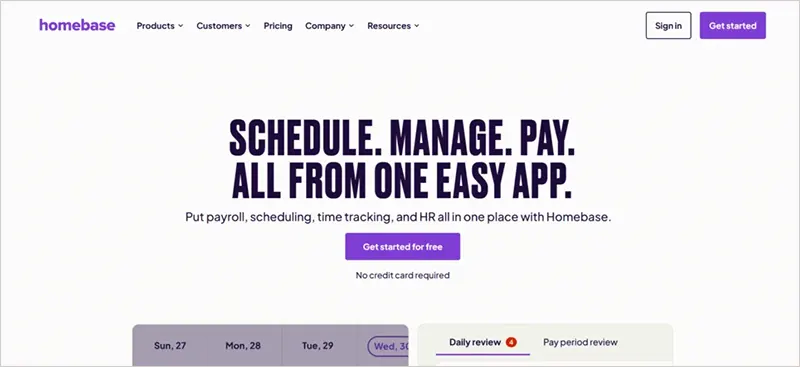
Homebase is one of the best automated payroll processing software that automatically calculates wages, tips, overtime, and breaks, while complying with the PTO, taxes, labour laws, and FLSA rules. Users can schedule, track hours, and pay the entire team with one pp, instead of multiple systems. It features wage garnishments, compliance with W2s and 1099s, payroll reports, and more for flexibility.
| Pricing Details | Starts at $24 per month |
| Pros | Cons |
|
|
What are Some of the Features to Look for in an Automating Payroll Software?
Employee database management, automated payroll calculation, integration capabilities, tax and compliance management, and payroll reporting and analytics are some of the features that an ideal automation tool must possess.
Here are some of the features to look for in an automated payroll software:
| S No. | Features | What It Must Be Able to Perform |
| 1. | Employee Database Management |
|
| 2. | Automated Payroll Calculations |
|
| 3. | Tax and Compliance Management |
|
| 4. | Payroll Reporting and Analytics |
|
| 5. | Integration Capabilities |
|
Suggested Reading: How to Become an HR Manager in a Company? (2025)
Frequently Asked Questions (FAQs)
1. Is there a way to automate payroll?
Ans: Yes, payroll can be automated using payroll automation software, such as Paychex, Gusto, Homebase, Square Payroll, and Paycor. Alternatively, businesses can outsource to third-party vendors to manage their payroll processing systems.
2. What are the 4 types of payroll systems?
Ans: Manual payroll processing, which involves traditional calculation methods using spreadsheets, in-house payroll software, where companies use dedicated software, outsourced payroll that involves a third-party vendor, and cloud-based HR systems, are 4 types of payroll systems generally used by businesses.
3. What is payroll automation?
Ans: Payroll automation refers to the process of streamlining payroll using software that automates and speeds payroll processing tasks, such as salary disbursement, calculating gross pay, ensuring compliance with standards, and more.
4. What is the most popular payroll software?
Ans: Psychex, Gusto, Paycor, Square Payroll, Timetrex, and Homebase are some of the best and most popular payroll software options one should consider for seamless payroll automation because they ensure accurate calculations and compliance with the major labour and tax laws, which manual payroll processing often lacks.
5. What are the 5 essential components of payroll?
Ans: Data synchronization, gross and net pay calculation, statutory compliance, tax filing, disbursement, and employee self-service and reporting are the 5 essential components of payroll processing.
